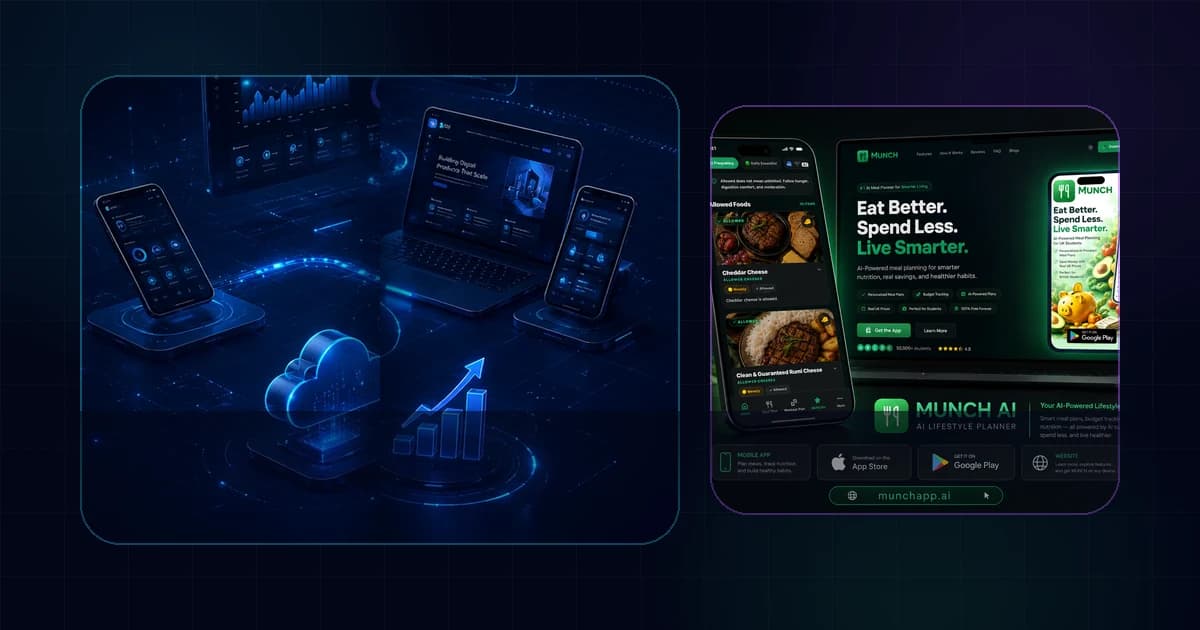
Mobile App Development Process in Saudi Arabia: From Idea to Launch
Use this guide to decide what the app must do, which mobile delivery approach fits the product, what the backend must support, and how to launch without confusing a prototype with a production system.
Quick Answer
Treat the app as a product system, not a collection of screens
A successful Saudi mobile app project starts with users, business rules and operational ownership. The mobile interface is only one layer. Authentication, APIs, data, payments, notifications, analytics, admin workflows, store requirements and post-launch support often decide whether the product works after the first release.
Key Takeaways
What matters before the build begins
These points define the decision behind the search query and keep the project grounded in business value.
Define the user journey and business outcome before choosing a framework or estimating screens.
Use one commercial service page for company/service queries; use this pillar for broad planning intent.
React Native can support iOS and Android from a shared product codebase while still allowing platform-specific code where needed.
Arabic and English UX should be planned as product requirements rather than appended during store submission.
The backend, admin tools and integrations deserve the same discovery effort as the visible mobile interface.
App Store and Google Play release requirements should be considered before development is complete.
For apps processing Saudi residents’ personal data, privacy and data handling should be reviewed against applicable PDPL obligations with qualified advisers.
Product Scope
What mobile app development actually includes
Mobile app development is the coordinated work required to turn a business idea or operational need into a product that people can install, use and trust. The visible iOS or Android interface is important, but it sits on top of product strategy, UX, backend services, APIs, authentication, data models, analytics, release processes and ongoing support.
For a Saudi customer-facing app, requirements may also include Arabic and English journeys, right-to-left layout behaviour, local contact and support flows, payments, maps, notifications, subscriptions, booking, account management and connections to existing CRM or operational systems. A useful scope names these responsibilities instead of hiding them under a single line called “mobile app”.
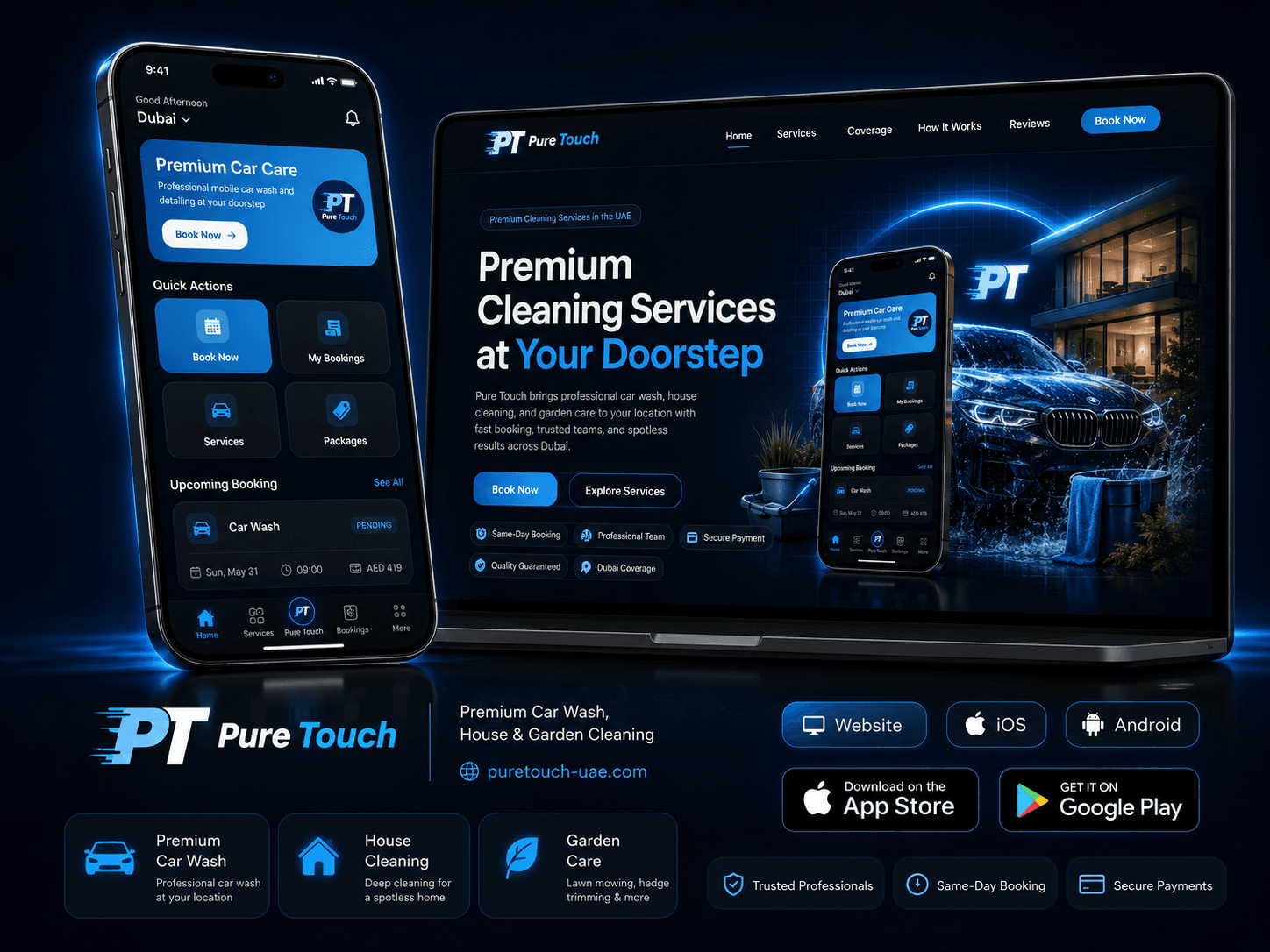
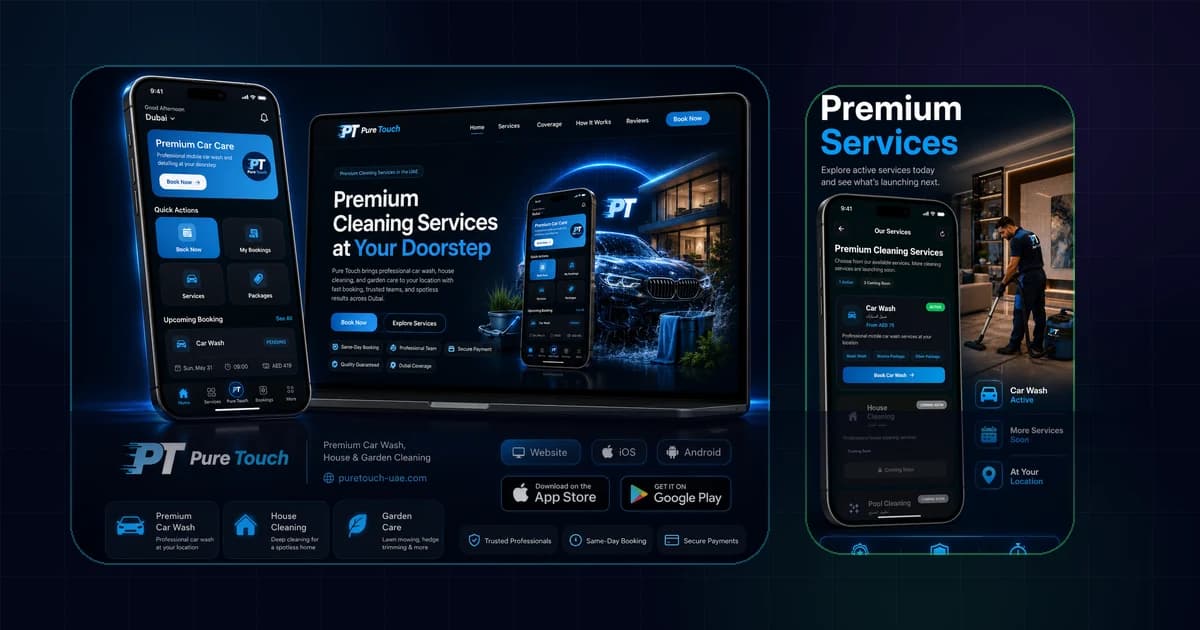
This is why TAS treats mobile delivery as part of a connected digital system. The Pure Touch case study, for example, combines a website, iOS and Android experiences, booking logic and administration rather than treating each channel as a separate product.
01
Product discovery
Clarify the users, problem, business model, critical journeys and first-release boundary
- User roles
- Core jobs
- Success measures
- MVP boundary
02
Mobile UX/UI
Design responsive mobile flows, states, accessibility and bilingual behaviour before expensive engineering
- Wireframes
- Design system
- RTL/LTR checks
- Prototype testing
03
App engineering
Build the iOS and Android experiences, device integrations and application state around an agreed architecture
- React Native
- Platform-specific behaviour
- Secure storage
- Offline/error states
04
Backend + operations
Connect accounts, APIs, databases, payments, admin tools, CRM and analytics so the app can actually operate
- Authentication
- APIs
- Admin dashboard
- Integrations
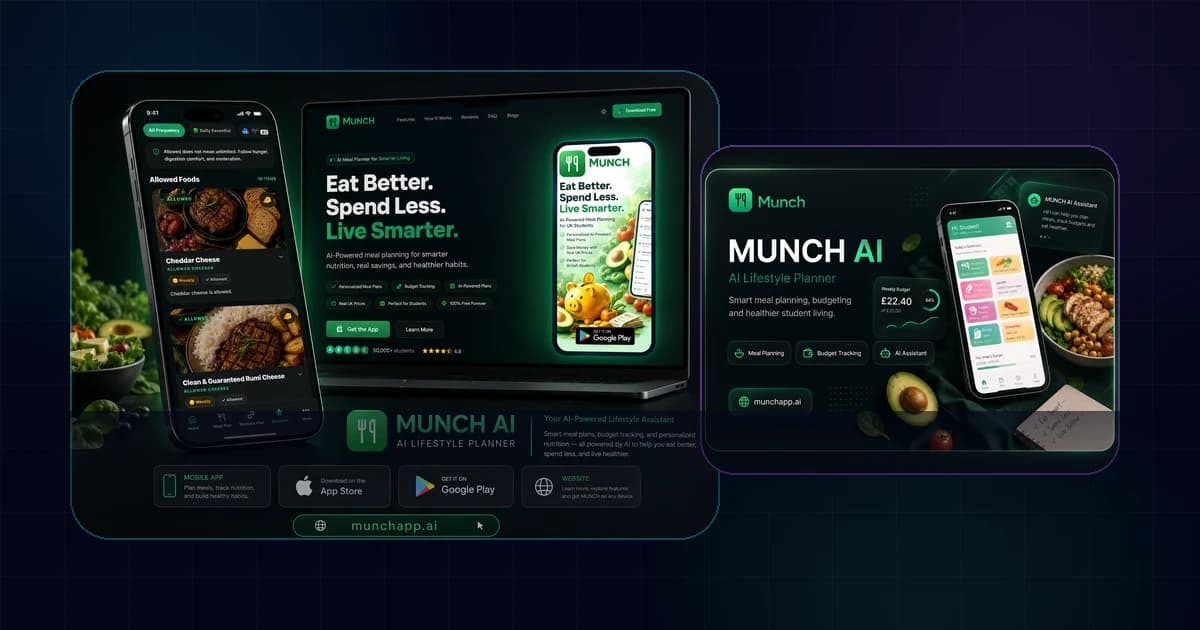
Delivery Options
Mobile app services that can sit inside one product scope
Not every project needs a separate vendor or page for every mobile capability. A coherent delivery plan can include product strategy, cross-platform engineering, iOS and Android release, backend APIs, commerce or booking logic, and post-launch support under one accountable scope.
The commercial TAS mobile app service page owns the high-intent “mobile app development company/service” queries. The guides in this cluster explain narrower buyer decisions such as cost, platform choice, cross-platform technology, ecommerce, MVP definition and timeline without creating duplicate service pages.
| Capability | What it covers | When it matters most |
|---|---|---|
| React Native app development | Shared product codebase with platform-specific handling when necessary | Businesses that need iOS and Android delivery without maintaining two fully separate application codebases |
| iOS and Android delivery | Store-ready experiences, device testing and platform-specific release work | Products that must reach both major mobile ecosystems |
| Mobile UI/UX design | Journey mapping, prototypes, design system, states and usability | Products where adoption depends on a clear first-use and repeat-use experience |
| Backend and API development | Accounts, data, business rules, admin tools and integrations | Any app that does more than display static content |
| Payments and subscriptions | Checkout, entitlement, billing states and account logic | Commerce, membership, booking and paid digital products |
| Analytics and notifications | Event tracking, push messaging and lifecycle measurement | Products that need measurable activation, retention and operational communication |
| Store deployment and support | Release preparation, store assets, review handling, monitoring and updates | Every production app that must remain healthy after launch |
Real Project Visuals
Mobile products and connected systems delivered across different business models

Saudi Market Fit
Requirements to clarify for Saudi users and operations
Saudi market fit is not achieved by changing the country name in a landing page. Product teams should decide which user journeys need Arabic, whether English is also required, how right-to-left and left-to-right layouts behave, which support channels are available, and what local operational systems the app must connect to.
If the app processes personal data related to individuals in Saudi Arabia, the product owner should review the Personal Data Protection Law and applicable implementing requirements. Engineering can implement consent, permissions, retention controls, data access and auditability, but legal interpretation should be confirmed with qualified advisers.
Payments and regulated integrations also need provider-specific discovery. Never assume a gateway, identity service or banking flow is available simply because a competitor uses it. Confirm account eligibility, API documentation, commercial terms, sandbox access and production approval before committing the architecture.
Saudi mobile product discovery checklist
- Arabic and English ownership
- RTL and LTR component behaviour
- Saudi support and WhatsApp journey
- Payment and subscription model
- Personal-data categories and retention
- Required CRM/ERP/booking integrations
- App Store and Google Play owner accounts
- Analytics and consent approach
- Push notification ownership
- Post-launch support responsibilities
Delivery Framework
A practical mobile app development process
The safest mobile process reduces ambiguity before engineering. Discovery should define user roles, key journeys, business rules, integrations, platform requirements and acceptance criteria. Wireframes and prototypes then make those assumptions visible while changes are still inexpensive.
Development should progress through testable vertical slices rather than building every screen before connecting real data. For example, complete registration, one core transaction and the supporting admin action end to end. This exposes integration and workflow problems early.
Release preparation should run in parallel with the final development stages. Apple and Google expect working applications, accurate store information and compliance with platform rules. Ownership of developer accounts, privacy details, screenshots, support URLs and review credentials should be clear before submission.
- 01
Discovery and MVP boundary
Define users, jobs, constraints, business rules, integrations, data and what the first release must prove.
- 02
UX and product prototype
Map navigation, screen states, errors, permissions, onboarding and bilingual behaviour; validate the flow before building deeply.
- 03
Architecture and backend plan
Choose mobile architecture, APIs, authentication, database, admin tools, analytics and integration responsibilities.
- 04
Iterative engineering
Build complete journeys in increments, connect real services, test devices and keep acceptance criteria visible.
- 05
Quality and release readiness
Test performance, accessibility, privacy, crashes, permissions, account states, payments and store requirements.
- 06
Launch and measurement
Publish, monitor product and operational metrics, fix high-impact issues and prioritise the next release from evidence.
Planning Check
Need help turning the requirement into the right scope?
Share the mobile product goal, target users, iOS and Android needs, languages, payments, integrations and target release. TAS can help you define a focused first release and the connected backend it needs.
Ask TAS on WhatsAppTechnology Decision
React Native, native delivery and platform-specific work
TAS publicly lists React Native as part of its mobile capability. React Native is designed for building native applications with React, while still allowing platform-specific code where a feature or interaction needs different handling on iOS and Android. That makes it a strong option when a shared product team wants to reach both platforms without pretending the two ecosystems are identical.
Technology choice should follow product constraints. Deep device integrations, unusual background behaviour, complex media processing or a highly platform-specific product may justify more native code. A standard customer app with accounts, forms, commerce, booking, notifications and APIs may benefit from a shared cross-platform architecture. The correct choice comes from technical discovery, not a universal framework ranking.
| Decision | Shared cross-platform approach | More platform-specific/native work |
|---|---|---|
| Best when | Product journeys are mostly shared across iOS and Android | Critical features depend heavily on platform-specific APIs or UX |
| Team model | One product team can reuse more application logic | Separate platform expertise may be needed more often |
| Design | Shared design system with platform adaptations | Greater freedom to follow each platform independently |
| Maintenance | Shared changes can reduce duplicated effort | More duplicated implementation but maximum platform control |
Connected Product
The backend and admin system are part of the app
A production mobile product usually needs more than an API endpoint. The team should define account lifecycle, permissions, data validation, audit history, notifications, content ownership, support tools and operational exceptions. Staff need a reliable way to resolve failed payments, update service availability, review requests or manage customer records.
Integrations introduce dependency risk. If the app connects to CRM, ERP, payment providers, maps, messaging, identity or third-party data, confirm the API limits, authentication model, error handling and ownership of each provider account. The mobile interface should communicate failures clearly instead of leaving the user stuck after an external service responds slowly or rejects a request.
Authentication and accounts
Registration, login, passwordless options, permissions, profile and account lifecycle.
Payments and subscriptions
Commercial flows, entitlements, transaction states, refunds and store-policy implications.
Notifications and messaging
Push notifications, transactional updates and consent-aware lifecycle communication.
Admin and reporting
Operational control, support visibility, customer records, content and event analytics.

Release Quality
App Store, Google Play and post-launch quality
Apple states that apps are reviewed against safety, performance, business, design and legal criteria, and recommends testing for crashes and bugs, keeping metadata complete and providing review access when accounts are required. Android guidance similarly treats user value, experience, technical quality, privacy and security as core quality dimensions.
Release is therefore a product milestone, not the end of engineering. The team should decide who owns the Apple and Google developer accounts, store listings, certificates, signing, privacy disclosures, screenshots, support pages and release approvals. After launch, crash monitoring, analytics, user feedback and operating-system changes become part of the maintenance backlog.
Production release checklist
- Real-device testing on supported screens
- Crash and error monitoring
- Store owner accounts under the correct organisation
- Accurate screenshots and listing copy
- Review/demo credentials when required
- Privacy and permission disclosures
- Backend production environment live
- Analytics events verified
- Support contact and escalation process
- Post-launch update ownership
Buyer Preparation
What to send a development team before requesting a quote
A useful mobile app brief is short but concrete. Describe the users, the primary problem, the actions they must complete, the systems that already exist, the must-have integrations and the first-release outcome. Attach rough examples of the journey if they help, but do not copy a competitor feature list without understanding why each feature exists.
Separate requirements into must-have, later and unknown. This helps the team identify the MVP and exposes the decisions that still need discovery. If pricing, timeline or architecture is discussed before the core flows are understood, the proposal is likely to contain large assumptions that reappear as change requests later.
Mobile app project brief
- Who uses the app
- Top three user jobs
- iOS, Android or both
- Arabic/English requirement
- Account and permission types
- Payments/subscriptions if any
- Backend/admin requirements
- Third-party integrations
- Existing brand/design assets
- Target launch window
- What success looks like after launch
TAS Project Evidence
What these decisions look like in real digital products
The examples below are presented as TAS project showcases. They demonstrate different mobile and connected-platform patterns without inventing performance results or claiming that one architecture fits every business.
iOS · Android · Booking Platform
Pure Touch
A TAS delivery case study connecting a service website, iOS and Android customer applications, structured booking and operational administration.
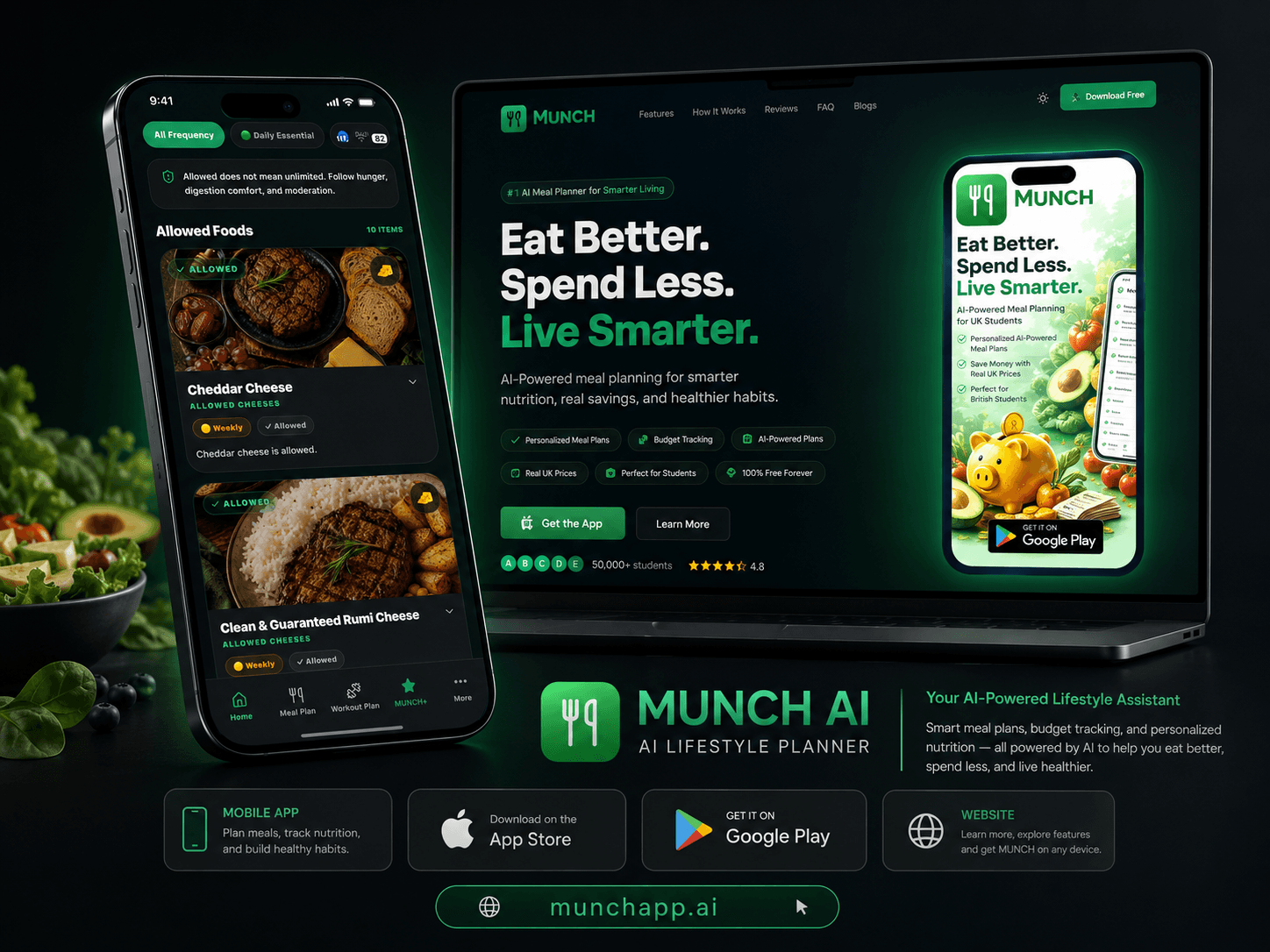
Discuss a similar TAS projectMobile Product · Subscription · AI
MUNCH AI
A TAS product experience combining mobile and web journeys, subscriptions and AI-assisted lifestyle features across nutrition and fitness.
View live projectReact Native · Product Delivery
TAS Mobile App Capability
TAS positions mobile delivery around React Native, product UX, authentication, payments, analytics, deployment and connected backend services.
Discuss a similar TAS projectConnected TAS Guides
Mobile app development connects to software, web and operations
These TAS pages cover adjacent software and platform decisions without competing with the mobile app cluster.
Frequently Asked Questions
Mobile App Development Process FAQs
What does mobile app development in Saudi Arabia include?+
It can include product discovery, mobile UX/UI, React Native or platform-specific engineering, backend APIs, authentication, payments, notifications, analytics, admin tools, App Store and Google Play release, monitoring and maintenance. The correct scope depends on what users and operations actually need.
Can TAS build apps for both iOS and Android?+
Yes. TAS publicly presents iOS and Android mobile delivery and React Native capability, and its Pure Touch case study includes both iOS and Android customer applications. The specific architecture for a new project should be chosen after discovery rather than assumed from the platform names alone.
Is React Native suitable for a Saudi business app?+
React Native can be suitable when iOS and Android share most product journeys and the team benefits from a common application architecture. Platform-specific code can still be used where needed. The decision should consider device integrations, performance requirements, team skills, maintenance and long-term roadmap.
Should Arabic be added after the English app is finished?+
Usually no. If Arabic is a real launch requirement, navigation, typography, component direction, content length, forms and testing should be planned from the design system onward. Treating Arabic as a late translation can create layout and interaction problems that are expensive to fix near release.
How much does a mobile app cost in Saudi Arabia?+
There is no reliable single market price because an MVP, booking app, ecommerce app and enterprise platform have very different scope. Public 2026 Saudi pricing guides vary widely, so the useful approach is to price a defined feature set, integrations, design level, backend, release work and support responsibilities.
How long does mobile app development take?+
Timeline depends on discovery depth, number of journeys, backend complexity, integrations, design maturity, feedback speed, QA and store release readiness. A focused MVP can move faster than a multi-role platform. Build the schedule from milestones and dependencies instead of a generic number of weeks.
Who should own the App Store and Google Play accounts?+
For a business product, the organisation should normally plan ownership of the relevant developer and store accounts so access does not depend on one external supplier. Confirm account eligibility, roles, signing responsibilities and release permissions with the development team before submission.
Next Step
Turn the app idea into a scoped first release
Send TAS the users, core journeys, iOS/Android requirement, languages, payments or integrations, and the main outcome you need. We can identify the missing decisions before a build estimate is useful.
Authoritative sources and further reading
Technical standards and platform guidance change. Review the current source before making a final architecture, security or compliance decision.