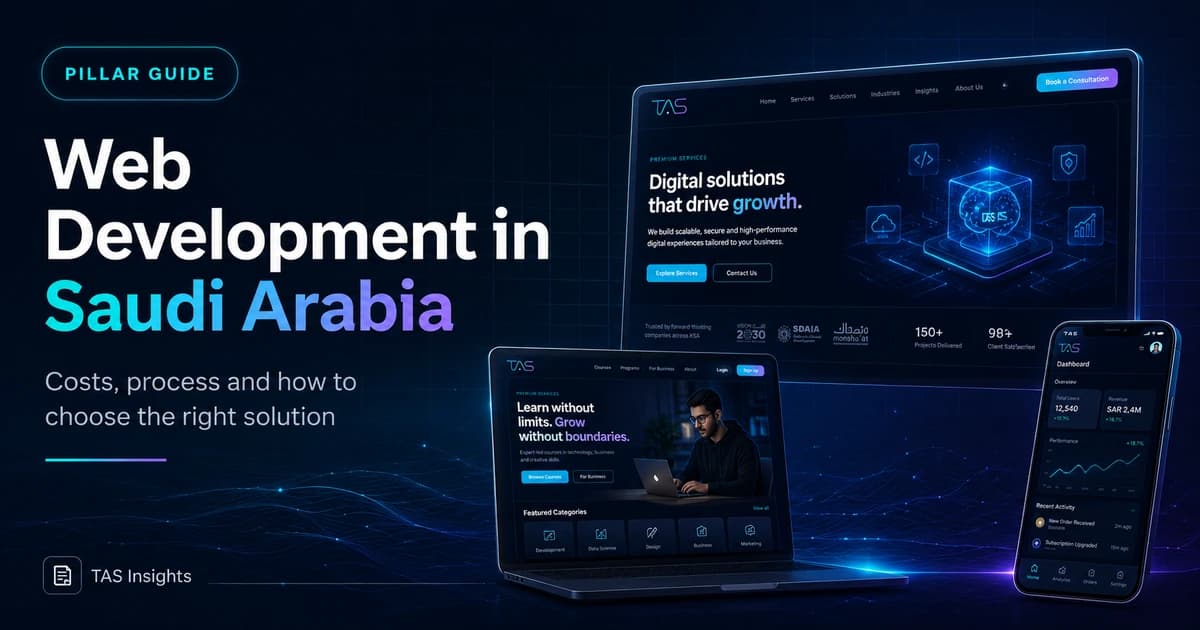
Web Development in Saudi Arabia: Costs, Process and Options
This guide helps Saudi companies define the right website, platform and delivery approach before comparing developers or requesting proposals.
Quick Answer
Start with the business workflow, not the technology name
Web development in Saudi Arabia can mean a focused corporate website, a bilingual lead-generation site, an e-commerce store or a custom web application. The right choice depends on what users must do, which systems need to connect, who will manage content and how the website will support measurable business goals after launch.
Key Takeaways
What matters before the build begins
These points define the decision behind the search query and keep the project grounded in business value.
A corporate website, online store and custom web application require different scopes and delivery teams.
Arabic and English journeys should be planned together rather than translated at the end.
SEO foundations belong in architecture, templates and content—not in a plugin added after launch.
Performance, accessibility, privacy and security are part of product quality, not optional extras.
A useful proposal explains deliverables, ownership, integrations, testing and post-launch responsibilities.
Pricing should be compared against scope and long-term operating cost rather than the initial number alone.
Foundation
What web development actually includes
A website project is a coordinated product decision involving strategy, content, interface design, engineering, integrations and operations.
A professional web project begins by defining the audience, the action each visitor should take and the information required to make that action feel safe. For a Saudi B2B company, that may mean service pages, project evidence, Arabic and English content, enquiry routing and CRM handoff. For a service marketplace, it may include accounts, availability, booking, payment and operational dashboards.
Treating every project as “a website” hides important differences. A brochure site can often be delivered with a simpler content model, while a portal or booking platform needs permissions, data structures, validation, integrations, monitoring and a maintenance plan. The early scope should name these differences clearly so design and development effort is placed where it creates value.
Visibility
Corporate and lead-generation websites
Best when the primary goal is explaining services, building credibility and generating qualified enquiries.
- Service architecture
- Case studies
- SEO landing pages
- CRM-ready forms
Transactions
E-commerce websites
Built around product discovery, checkout, payments, fulfilment, customer service and measurable revenue journeys.
- Catalogue and search
- Payments
- Orders
- Analytics
Operations
Booking and service platforms
Useful when customers need to choose a service, location, package, appointment or recurring plan.
- Availability
- Bookings
- Accounts
- Admin workflows
Software
Custom web applications
Appropriate when the browser experience performs business logic rather than only presenting information.
- Roles and permissions
- Dashboards
- APIs
- Custom workflows
Saudi Market Fit
Requirements Saudi businesses should define early
A Saudi website may need Arabic-first navigation, English support, right-to-left layouts, local phone and WhatsApp journeys, branch or city information, local payment methods and content written for a regional audience. These are architecture choices. Adding them after templates are complete can create duplicated components, inconsistent URLs and poor user journeys.
The business should also identify what personal information is collected, who receives it, how long it is retained and which third-party platforms process it. The development team can implement consent, access control and data flows, but legal obligations should be confirmed by qualified Saudi advisers rather than inferred from a generic international template.
Saudi website planning checklist
- Arabic and English content ownership
- RTL and LTR component behaviour
- Saudi phone, WhatsApp and contact journeys
- Locations, service areas and city pages
- Required payment and invoicing integrations
- Privacy, consent and data-retention requirements
- Internal CRM, ERP or booking integrations
- Who owns content updates after launch
Real Project Visuals
Platforms and websites built across different business models

Delivery Framework
A practical web development process
The safest process reduces ambiguity before expensive engineering begins. It should create tangible outputs at every stage: a scope, sitemap, content model, wireframes, visual system, tested implementation and launch checklist. Stakeholders can then approve decisions in sequence instead of discovering structural problems near launch.
For custom platforms, technical discovery should also cover user roles, data entities, integrations, failure states and administrative workflows. A clean interface cannot compensate for unclear business rules. The team should test the complete journey from the customer action through the operational response.
- 01
Discovery
Define users, goals, workflows, integrations, languages, constraints and success measures.
- 02
Information architecture
Map pages, navigation, search intent, content ownership and conversion paths.
- 03
UX and visual design
Prototype responsive interfaces and validate both Arabic and English layouts where required.
- 04
Development
Build reusable components, content models, integrations, analytics and administrative controls.
- 05
Quality assurance
Test devices, browsers, forms, accessibility, performance, security and edge cases.
- 06
Launch and improvement
Deploy, monitor, submit indexing signals, review behaviour and plan measured iterations.
Architecture
Choose technology by operating model
The best stack is the one the business can operate safely while meeting performance, content and feature requirements.
| Approach | Best fit | Strengths | Watch closely |
|---|---|---|---|
| Managed website builder | Small, simple sites | Fast setup and managed hosting | Design limits, migrations and advanced integrations |
| WordPress | Content-heavy marketing sites | Mature editing ecosystem and broad talent pool | Plugin quality, updates, security and performance governance |
| Next.js with a CMS | Performance-led marketing sites and custom journeys | Flexible rendering, component design and integrations | Requires engineering ownership and a clear CMS workflow |
| Custom web application | Portals, marketplaces and operational platforms | Business-specific workflows and scalable product design | Discovery, QA, security and long-term maintenance |
SEO Best Practice
Build search visibility into the templates
Technical SEO begins with crawlable links, descriptive URLs, unique metadata, canonical URLs, server-rendered content, useful headings and internal links that explain the destination. Images need meaningful alternative text and dimensions. Structured data should match visible content rather than introduce claims that users cannot see.
Performance should be measured with real-user data where possible. Core Web Vitals currently focus on loading, responsiveness and visual stability. Good implementation prioritises the main visual asset, reserves image space, limits unnecessary client-side JavaScript and avoids interface shifts. Accessibility improves usability and often produces clearer labels, navigation and form structures for search engines as well.
Launch-ready SEO foundations
- One clear H1 and logical heading hierarchy
- Unique title, description and self-referencing canonical
- Crawlable internal links with descriptive anchor text
- Server-rendered primary content
- XML sitemap and indexable robots directives
- WebP images with width, height and useful alt text
- BlogPosting and Breadcrumb structured data
- Core Web Vitals and mobile QA
Planning Check
Need help turning the requirement into the right scope?
Share the website goal, required pages, languages, integrations and timeline. TAS can help you identify whether the project needs a focused business website, a custom platform or a staged roadmap.
Ask TAS on WhatsAppBudget Planning
Cost and timeline depend on scope—not page count alone
Two websites with the same number of pages can require very different effort. A bilingual corporate site with original design, content modelling, CRM integration, migration and SEO controls is not equivalent to installing a theme and replacing text. The proposal should separate design, development, content, integrations, quality assurance, hosting and ongoing support.
Public Saudi pricing guides show very wide ranges because they group fundamentally different products under one label. A more reliable comparison asks what the quote includes, what remains the client’s responsibility and which changes will be treated as additional scope.
Partner Selection
Evaluate a web development company by evidence and ownership
A polished proposal is useful, but the strongest evidence is the ability to explain trade-offs. Ask the team why it recommends a platform, how content will be managed, how integrations fail safely, who owns source code and accounts, and what happens after launch. The answer should be specific to the project rather than a repeated sales script.
Review live projects on mobile and desktop. Test forms, navigation and page speed. Confirm whether the team handled only visual design or also architecture, development, infrastructure and ongoing support. A suitable partner will identify risks early and define responsibilities clearly.
Business Use Cases
Match the website architecture to the business model
A professional-services company normally needs expertise pages, decision content, project evidence and clear enquiry routing. A real-estate business may need structured developments, locations, unit types, filters and lead assignment. A clinic may need service information, practitioner profiles, appointment requests and careful handling of personal information. The page count does not reveal these differences; the content model and workflow do.
For education, membership and marketplace businesses, the public website may be only the acquisition layer. Logged-in areas, learning content, profiles, messaging, payments and administration turn the project into a web application. Define the boundary between the public marketing site and authenticated product so the team can protect performance and SEO without weakening application security.
A strong architecture can support future industries and services without creating duplicate pages. Reusable entities such as locations, projects, specialists, courses or packages should have one source of truth and predictable relationships. This improves editing, internal linking and consistency across Arabic and English content.
B2B and consulting
Expertise, proof, sector pages, thought leadership and qualified enquiry journeys.
Real estate
Projects, locations, property data, filters, lead capture and dynamic detail pages.
Healthcare
Services, practitioners, trust content, appointments and controlled information flows.
Education
Courses, tutors, resources, accounts, learning journeys and administration.
Content Operations
Plan how the website will be edited after launch
A content management system should reflect the way the organisation works. Editors may need reusable service blocks, project entries, author profiles, locations, FAQs and campaign pages rather than one unrestricted page builder. Structured fields reduce visual inconsistency and make it easier to update repeated information safely.
Define roles and approval rules. Marketing may publish articles, while legal or management approves regulated claims. Arabic and English content may be owned by different teams. The CMS should make missing translations and outdated content visible instead of relying on memory.
Content governance also affects SEO. Each page needs a clear owner, purpose, primary intent and update policy. When multiple teams create similar pages without query ownership, the website can dilute internal links and compete with itself. A simple editorial map prevents this problem before it reaches production.
Connected Systems
Design website integrations as reliable business workflows
Forms and bookings should not disappear into an inbox without ownership. Define the destination, required fields, validation, assignment rules, notifications and reporting. If the website connects to a CRM, map how duplicates, missing fields and consent are handled. If it connects to payments or inventory, define the source of truth and the response to failed updates.
Use supported APIs and webhooks where possible. Store only the information the workflow requires, protect credentials and log failures without exposing personal data. Integrations need monitoring because third-party services change and network requests can fail even when the website itself remains online.
Automation should remove repetitive work without hiding important decisions. A lead can be enriched, routed and acknowledged automatically, while pricing exceptions or sensitive requests remain with authorised staff. The website architecture should support this separation clearly.
Post-Launch
Launch is the start of the measurement cycle
Before release, verify production metadata, canonical URLs, redirects, sitemap entries, robots directives, analytics events, consent behaviour, forms, backups and monitoring. Test key journeys using real devices and both language directions. A staging approval does not replace a production smoke test because domains, caching, integrations and environment settings can behave differently.
After launch, review Search Console indexing, Core Web Vitals, enquiry quality, navigation behaviour, form completion and support questions. These signals identify whether the problem is traffic, message clarity, usability or operational follow-up. Improvement should be based on evidence rather than changing the design whenever a stakeholder has a new preference.
Set a maintenance rhythm for security updates, broken links, outdated claims, content opportunities and performance regressions. Useful websites become operating assets because they are reviewed and improved, not because the launch version was declared finished.
First 30 days after launch
- Confirm indexing and canonical selection
- Review mobile Core Web Vitals
- Test all lead and booking destinations
- Check analytics conversion events
- Review search queries and internal links
- Fix content gaps revealed by sales and support
- Verify backups and monitoring
- Prioritise measured improvements
Governance
Protect procurement, approvals and final handover
Larger organisations should name one product owner who can resolve content, design and workflow questions. A committee can provide input, but the delivery team needs a clear approval path. Record decisions, feedback deadlines and accepted assumptions so the project does not repeatedly revisit approved work.
Procurement documents should separate acceptance from subjective preference. Useful acceptance criteria include approved templates, working integrations, responsive behaviour, language support, analytics events, performance checks, security actions and documented administrator access. Visual review still matters, but it should be tied to agreed designs rather than new ideas introduced at handover.
The final package should include source-code access, deployment notes, environment ownership, CMS roles, account inventory, backup method, analytics properties, redirect list and support contacts. Schedule training for the people who will actually publish content or respond to enquiries. A website is not fully delivered if the organisation cannot operate it safely. This operational handover is also part of long-term SEO because content, redirects and technical controls need reliable owners across future campaigns and platform updates.
Handover assets to request
- Source repository and deployment access
- Domain and hosting ownership
- CMS administrator roles
- Design system and reusable components
- Analytics and Search Console access
- Redirect and sitemap records
- Backup and recovery instructions
- Support and escalation contacts
Risk Control
Common mistakes that make websites expensive later
Starting design without approved content structure
This leads to repeated layouts, missing page goals and expensive redesign when real content arrives.
Choosing technology only by initial price
The lowest build cost can create higher maintenance, migration or plugin costs over the website lifecycle.
Treating Arabic as a final translation task
RTL behaviour, navigation length, typography and content hierarchy need to be validated during design.
Launching without analytics and conversion events
A site cannot be improved responsibly if enquiries, calls, WhatsApp actions and key journeys are not measured.
Using generic pages for every service
Thin or repetitive pages rarely help users decide and can create unclear query ownership.
Ignoring post-launch ownership
Domains, hosting, source code, CMS access, backups and maintenance responsibilities should be documented.
TAS Project Evidence
What these decisions look like in real digital products
The examples below are presented as TAS project showcases. They demonstrate different website and platform patterns without inventing performance results or claiming that one architecture fits every business.
Website · Booking Platform · Mobile Apps
Pure Touch
A service-booking ecosystem with customer journeys across web and mobile, service selection, scheduling and account workflows.
View live projectDigital Product · Subscription · AI Experience
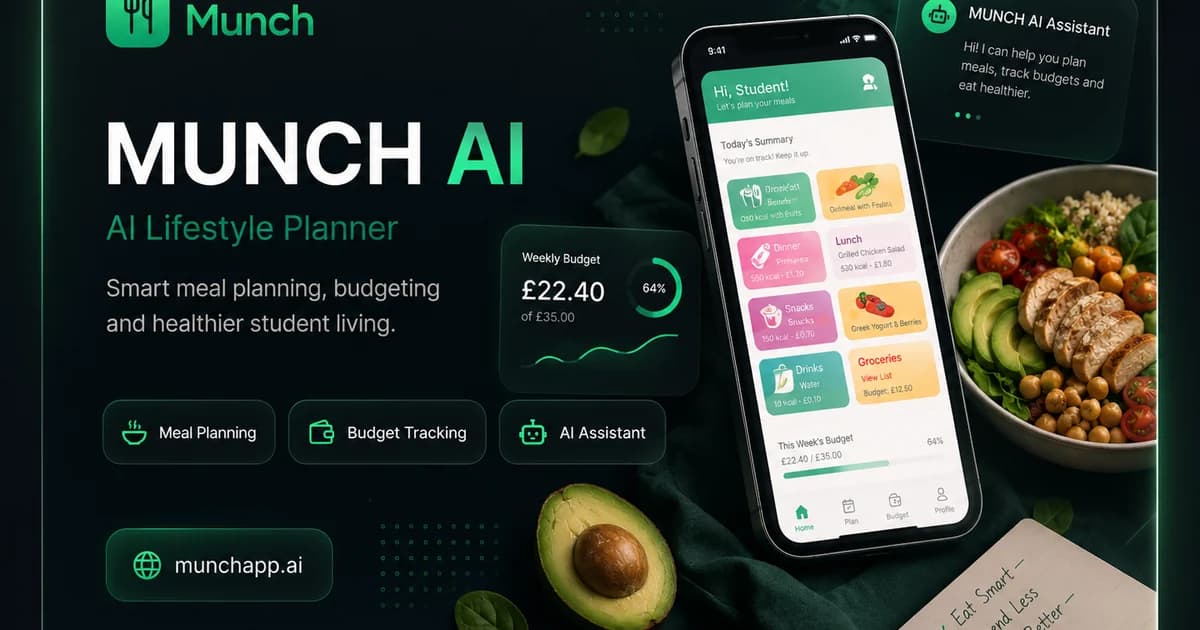
MUNCH AI
A consumer digital product combining public web pages, mobile applications, subscriptions and AI-assisted lifestyle features.
View live projectEducation Platform · Content · User Journeys
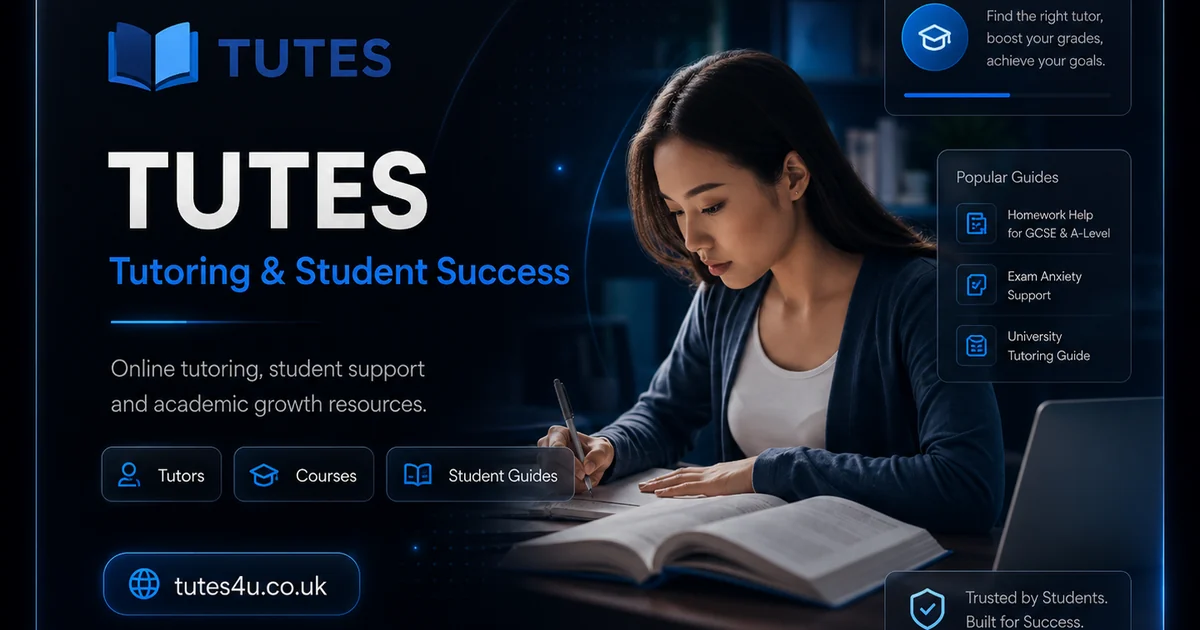
TUTES4U
An education-focused platform that organises tutoring discovery, student guidance and content around distinct user needs.
View live project
Brand Website · Creative Presentation
Vendedor
A visually led brand experience showing how design direction, message hierarchy and conversion paths can work together.
View live project
Consulting Website · Lead Generation
IBERO
A B2B consulting presence structured around services, credibility, strategic positioning and lead-generation actions.
View live project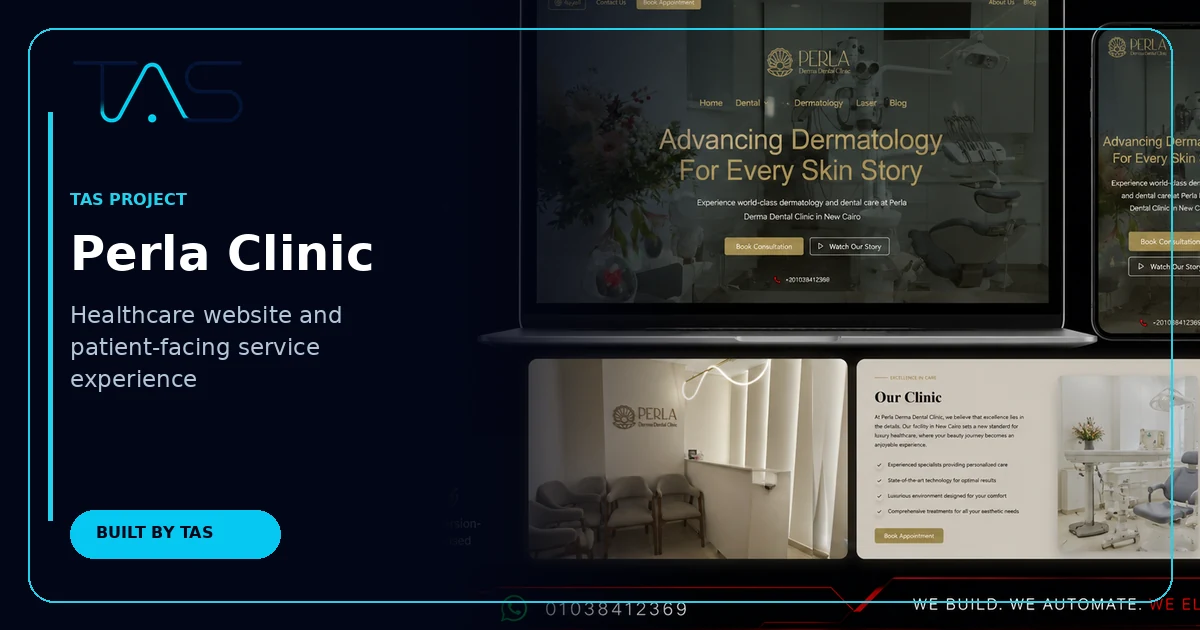
Healthcare Website · Service Discovery
Perla Clinic
A healthcare-focused web experience presenting specialist services, treatment information and clear patient enquiry paths.
Discuss a similar TAS project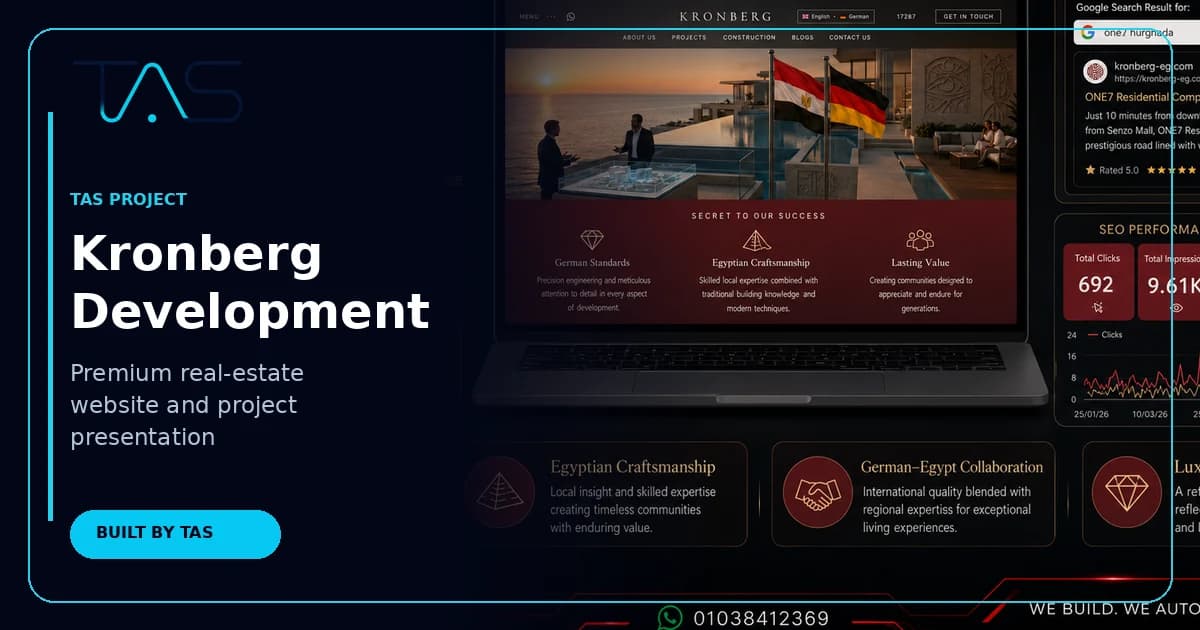
Real Estate Website · Project Presentation
Kronberg Development
A premium real-estate presentation built around development storytelling, project discovery, multilingual content and enquiry generation.
Discuss a similar TAS project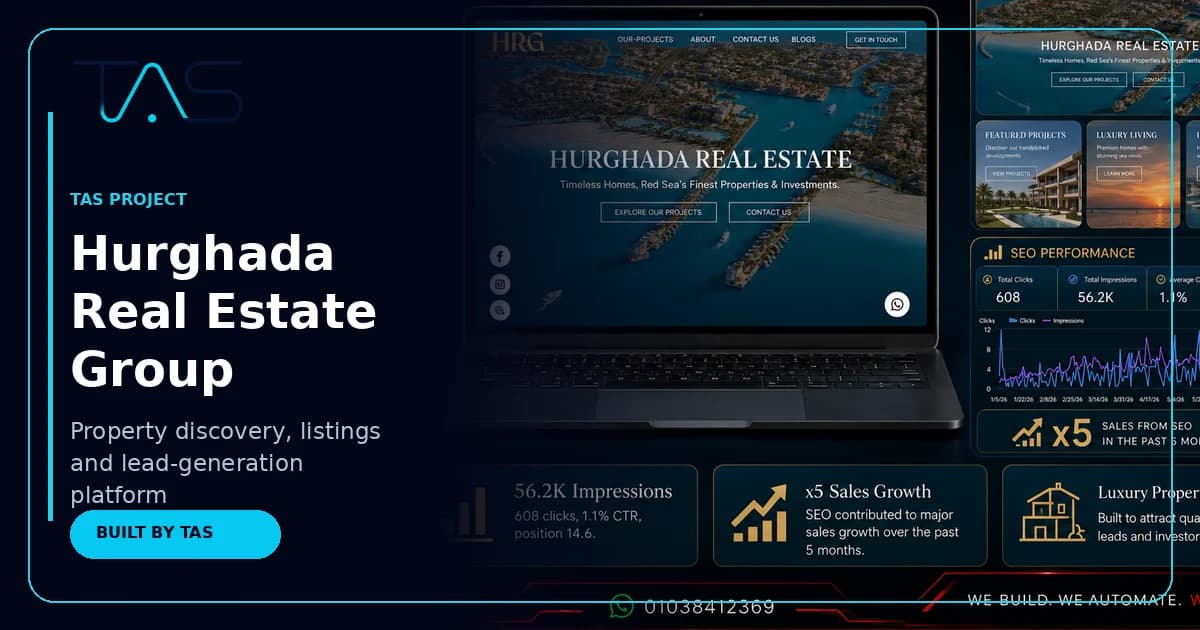
Property Platform · Listings · Lead Generation
Hurghada Real Estate Group
A property-discovery experience combining location content, project listings, search-led landing pages and buyer enquiry journeys.
Discuss a similar TAS projectConnected TAS Guides
Web development connects to automation, CRM and AI
These existing TAS guides cover adjacent decisions without competing with the web development cluster.
Frequently Asked Questions
Web Development in Saudi Arabia FAQs
What does web development in Saudi Arabia include?+
It can include strategy, UX design, Arabic and English interfaces, front-end and back-end development, content management, integrations, SEO foundations, analytics, hosting and support. The exact scope depends on whether the business needs a corporate website, e-commerce store, booking platform or custom web application.
How long does a business website take to build?+
The timeline depends on scope, content readiness, approval speed, languages and integrations. A focused marketing website is usually faster than a bilingual platform with custom workflows. Ask for a stage-based plan showing discovery, design, development, quality assurance, content entry and launch responsibilities.
Should a Saudi website be built in Arabic first?+
That depends on the primary audience, but Arabic and English journeys should be planned together whenever both are required. Navigation, component direction, typography, URL structure and content ownership need early decisions. Translating an English-only design at the end often creates usability and SEO problems.
Is WordPress or Next.js better for a Saudi business website?+
Neither is automatically better. WordPress can suit content-led sites with a familiar editorial workflow. Next.js can suit performance-led websites and custom integrations. The right choice depends on editing needs, features, security ownership, hosting, development capacity and long-term maintenance.
How should a company compare website proposals?+
Compare the included deliverables, content responsibilities, design depth, technology, integrations, testing, SEO setup, analytics, hosting, source-code ownership and support. A single total price is not enough because proposals can describe very different products and exclude important work.
Can a website connect to CRM and automation systems?+
Yes. Forms, bookings, purchases and account activity can connect to CRM, email, WhatsApp, analytics, payment and internal systems through supported integrations or custom APIs. The team should define validation, failure handling, permissions and data ownership before implementation.
Next Step
Plan the right website before requesting a build quote
Share your business goal, required languages, pages, integrations and launch window. TAS will help translate the requirement into a practical first-phase scope.
Authoritative sources and further reading
Technical standards and platform guidance change. Review the current source before making a final architecture, security or compliance decision.
- Google Search Essentials
- Google SEO Starter Guide
- Google crawlable links best practices
- Google canonical URL guidance
- Google image SEO best practices
- Google Article structured data
- web.dev Core Web Vitals guidance
- W3C Web Content Accessibility Guidelines
- Google multilingual and multi-regional sites guidance
- Next.js metadata and Open Graph documentation
- OWASP Top 10 web application security risks