React Native vs Flutter for Saudi Mobile Apps: Which Fits Your Product?
Use this comparison to choose a cross-platform approach from product constraints and team ownership—not from framework fandom or a generic “best technology” list.
Quick Answer
Choose the ecosystem your product and team can operate well
React Native and Flutter can both support cross-platform mobile products, but the best choice depends on existing team skills, platform-specific requirements, UI expectations, native integrations, library maturity and long-term maintenance. TAS publicly lists React Native as a mobile capability; Flutter is covered here as a comparison option, not as an unverified TAS service claim.
Key Takeaways
What matters before the build begins
These points define the decision behind the search query and keep the project grounded in business value.
Both frameworks aim to reduce duplicated iOS/Android implementation.
React Native uses React and JavaScript/TypeScript concepts and can incorporate platform-specific code.
Flutter uses Dart and its own UI toolkit; its fit depends on team and product constraints.
Framework choice does not replace backend, product design, QA or store-release work.
A prototype with one real integration is more useful than arguing from generic benchmark charts.
TAS should only recommend technology it can support responsibly for the specific project.
Decision Frame
Start with constraints before comparing features
A cross-platform decision should begin with the product: which device features are required, how much of the user journey is shared, what accessibility and bilingual behaviour is expected, which third-party SDKs are mandatory and who will maintain the code after launch.
Team capability matters just as much. If an organisation already works heavily with React and TypeScript, React Native may reduce context switching. If a dedicated Flutter team and required libraries are already proven, Flutter may be a strong fit. The framework should reduce delivery risk, not become a recruitment or maintenance problem.
Questions to answer before choosing
- Existing React/TypeScript or Dart capability
- Required native SDKs and device APIs
- Arabic/English UI complexity
- Animation and custom UI expectations
- Offline/background behaviour
- Analytics and crash tooling
- CI/CD and store release workflow
- Who maintains the product for 2–3 years
Side-by-Side
React Native vs Flutter comparison
| Factor | React Native | Flutter |
|---|---|---|
| Language/ecosystem | JavaScript/TypeScript and React ecosystem | Dart and Flutter ecosystem |
| UI approach | React components render to native platform UI primitives | Flutter renders its own widget system |
| Platform-specific work | Supports platform detection and platform-specific files/modules | Supports platform channels and platform-specific integration |
| Team fit | Strong when React skills already exist | Strong when a dedicated Flutter/Dart capability exists |
| Design consistency | Can share design while respecting native platform differences | Strong control over a consistent widget-driven UI |
| Maintenance question | Library compatibility and native dependencies still need review | Plugin quality, platform channels and Dart capability still need review |
Real Project Visuals
Mobile products and connected systems delivered across different business models

React Native Fit
When React Native is a strong candidate
React Native is attractive when the product needs iOS and Android, most business logic is shared, and the team benefits from React and TypeScript skills. Official React Native guidance also supports platform-specific code when small parts of the application need different behaviour on iOS and Android.
TAS publicly lists React Native in its mobile app capability. That makes it the verified cross-platform technology TAS can discuss directly. The implementation decision still needs technical discovery because payments, maps, media, Bluetooth, background tasks or proprietary SDKs can change the amount of native work required.
Planning Check
Need help turning the requirement into the right scope?
Share the mobile product goal, target users, iOS and Android needs, languages, payments, integrations and target release. TAS can help you define a focused first release and the connected backend it needs.
Ask TAS on WhatsAppFlutter Fit
When Flutter may be worth evaluating
Flutter can be worth evaluating when a team already has strong Dart and Flutter experience, needs consistent custom UI across platforms, and has verified plugins or platform integrations for the product. The decision should be based on the actual SDK and maintenance requirements, not on a generic claim that Flutter is always faster or cheaper.
This guide does not claim TAS provides Flutter development because the supplied TAS project source verifies React Native, iOS and Android delivery but does not explicitly verify Flutter delivery. If Flutter is a hard requirement, confirm capability before contracting.
Risk Reduction
Run a technical spike on the hardest feature
If the decision is close, prototype the highest-risk integration rather than building a polished demo screen. Test the payment or identity SDK, camera workflow, background task, deep linking, map behaviour, offline sync or any other feature that could force platform-specific work.
A small technical spike can expose build tooling, native dependencies, permissions and store constraints before the full product commits to an architecture. Keep the output disposable if necessary; the goal is to learn, not to create production debt.
- 01
List the three highest-risk mobile features
Focus on native SDKs, background behaviour, complex media, payments, maps, identity or offline data.
- 02
Test the hardest integration
Build the smallest vertical slice that proves the library, permissions, platform behaviour and error states.
- 03
Compare developer workflow
Measure build stability, debugging, CI/CD and native escape hatches rather than only UI speed.
- 04
Choose for the maintenance team
Select the approach the organisation can support after the original launch team moves on.
SEO Architecture
Why this page does not target generic mobile app services
The commercial service page owns “mobile app development company Saudi Arabia”, “mobile app development services Saudi Arabia” and close transactional variants. The pillar owns broad planning. This page owns only the React Native vs Flutter comparison intent.
Keeping that boundary lets internal links tell search engines and users which page is the best destination for each decision. It also prevents separate React Native, Flutter and generic app pages from repeating the same sales copy.
TAS Project Evidence
What these decisions look like in real digital products
The examples below are presented as TAS project showcases. They demonstrate different mobile and connected-platform patterns without inventing performance results or claiming that one architecture fits every business.
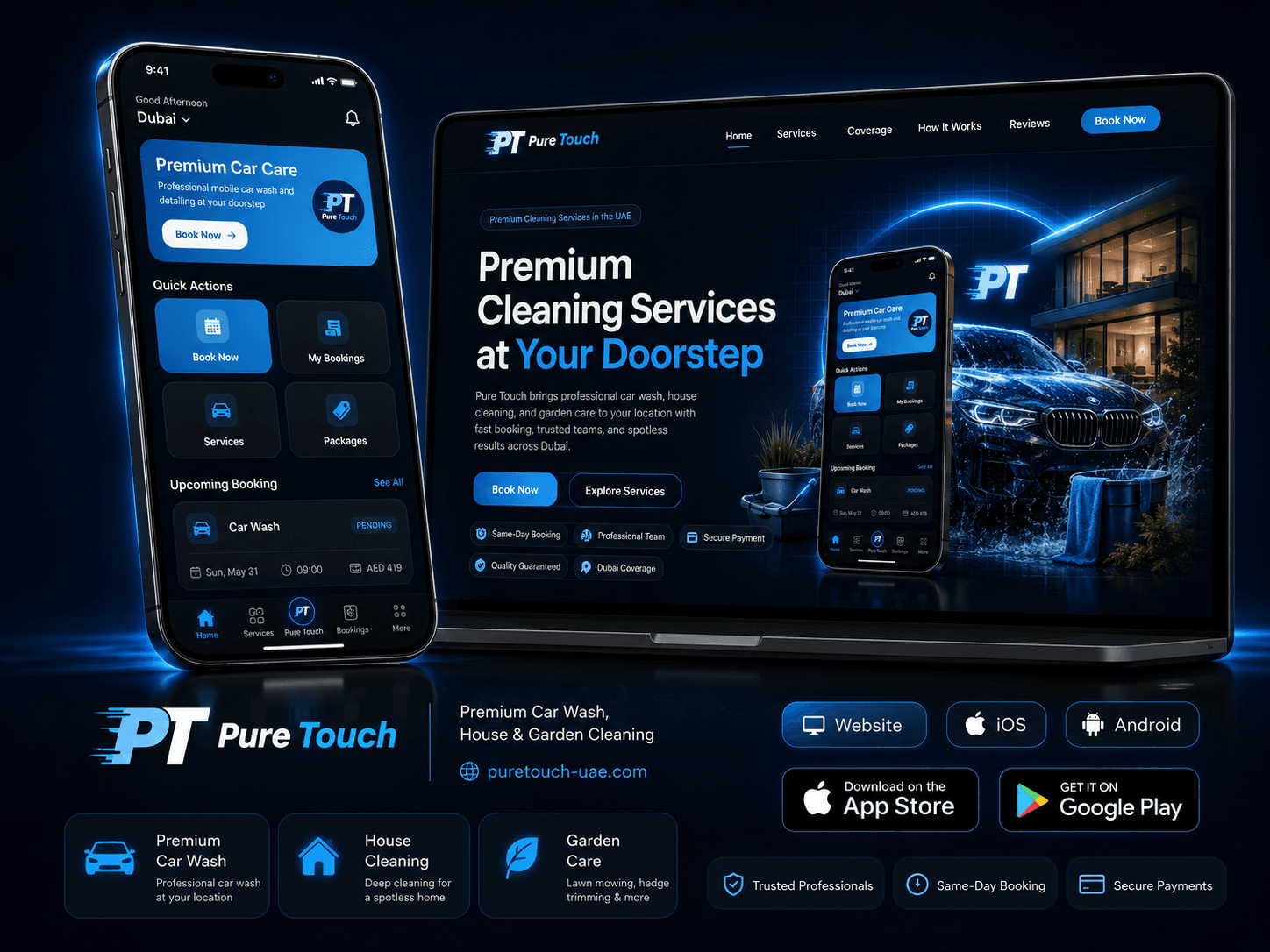
iOS · Android · Booking Platform
Pure Touch
A TAS delivery case study connecting a service website, iOS and Android customer applications, structured booking and operational administration.
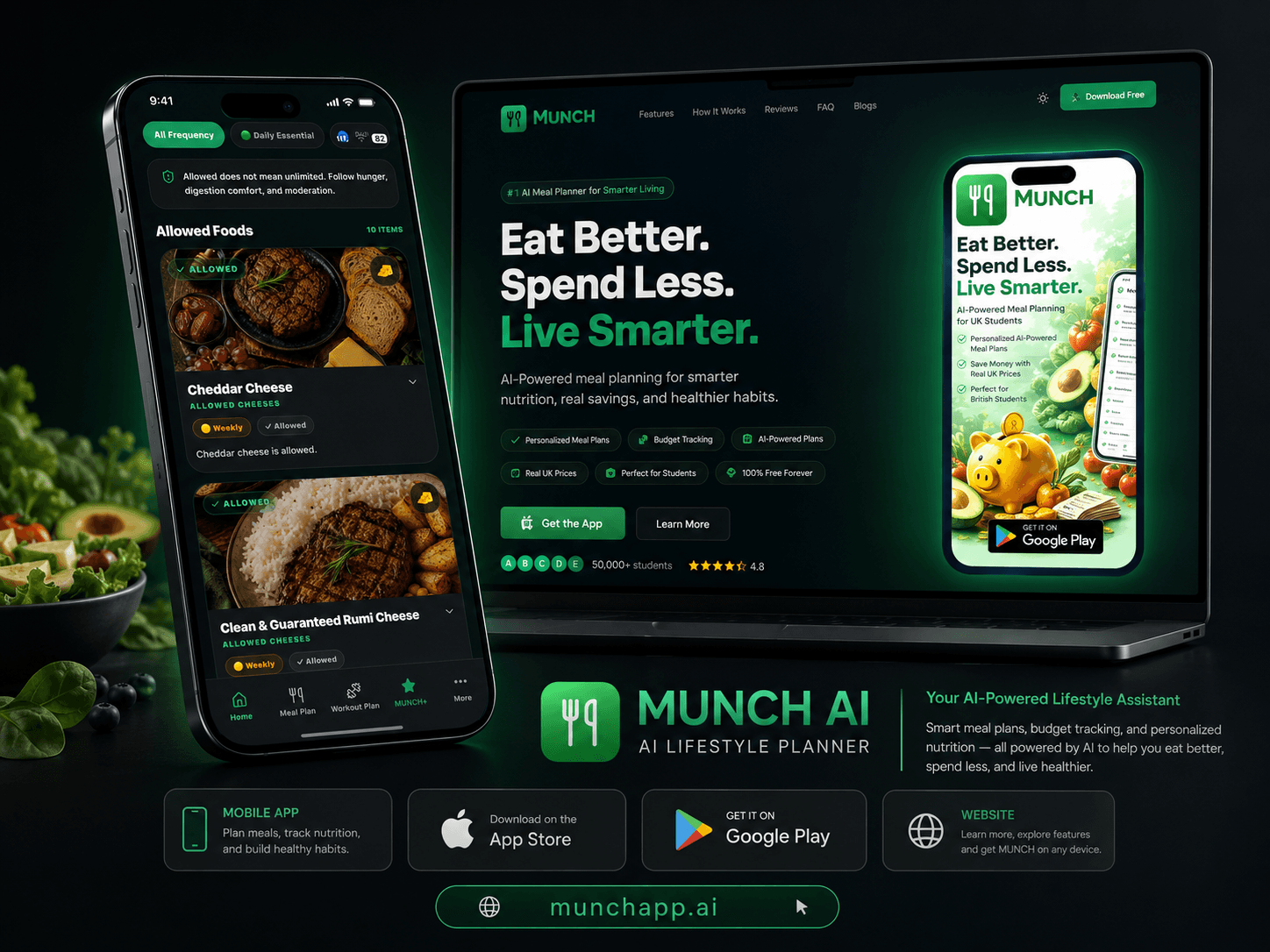
Discuss a similar TAS projectMobile Product · Subscription · AI
MUNCH AI
A TAS product experience combining mobile and web journeys, subscriptions and AI-assisted lifestyle features across nutrition and fitness.
View live projectReact Native · Product Delivery
TAS Mobile App Capability
TAS positions mobile delivery around React Native, product UX, authentication, payments, analytics, deployment and connected backend services.
Discuss a similar TAS projectConnected TAS Guides
Mobile app development connects to software, web and operations
These TAS pages cover adjacent software and platform decisions without competing with the mobile app cluster.
Frequently Asked Questions
React Native vs Flutter FAQs
Is React Native better than Flutter for Saudi apps?+
Neither is universally better. The decision depends on team skills, required native integrations, UI behaviour, library maturity and long-term maintenance. React Native is a verified TAS capability; Flutter should be evaluated when the project has a specific reason and the delivery team can support it.
Can React Native build both iOS and Android apps?+
Yes. React Native is designed for native apps across platforms and supports shared code plus platform-specific implementation where required. Teams still need to test native SDKs, permissions, device behaviour and store requirements on both iOS and Android.
Does Flutter always produce a more consistent UI?+
Flutter gives developers strong control through its widget system, which can help create consistent custom interfaces. That does not automatically make the product better. Accessibility, platform conventions, performance, integrations and maintenance still depend on the implementation and team.
Which is cheaper: React Native or Flutter?+
There is no guaranteed cheaper framework. Cost depends on team expertise, reusable components, native integrations, backend work, QA and maintenance. A framework that requires unfamiliar hiring or custom plugin work can be more expensive even if the shared-code promise looks similar.
Next Step
Validate the framework against your hardest requirement
Send TAS the app journeys and the native integrations that worry you most. We can assess whether React Native is a sensible fit and identify where platform-specific work may still be required.
Authoritative sources and further reading
Technical standards and platform guidance change. Review the current source before making a final architecture, security or compliance decision.